

Content Studio:
Turn Lost AI Answers Into Articles Written to Win Them
AI assistants are recommending your competitor for prompts you care about. Content Studio writes the article that answers those prompts.
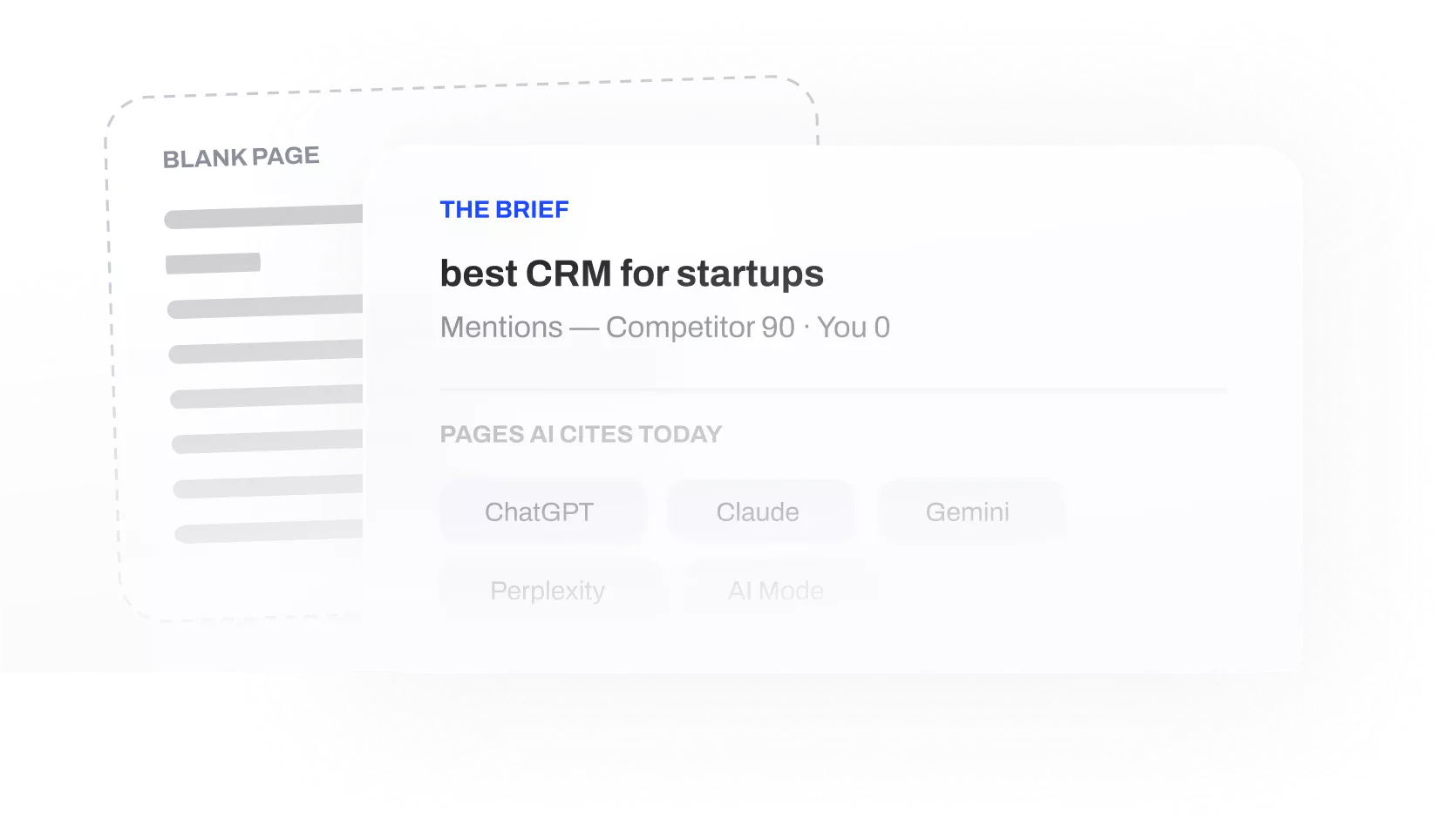
Content Studio turns the prompts where AI assistants recommend a competitor instead of you into ready-to-edit articles written to win those answers. It works from data Vista AI already collects: the prompts you track, how often each brand gets mentioned, and the pages ChatGPT, Claude, Gemini, Perplexity and Google AI Mode cite today. You don't start from a blank page. You start from a brief built on what AI is answering right now. Find your top content opportunities from your latest sweep.
Open Content StudioTrusted by teams across the web
Join 1,530+ brands and agencies using Vista AI
- Brands & agencies
- 1,530+
- Marketers
- 4,800+
- AI engines tracked daily
- 5






Knowing You're Losing
a Prompt Doesn't Win It Back
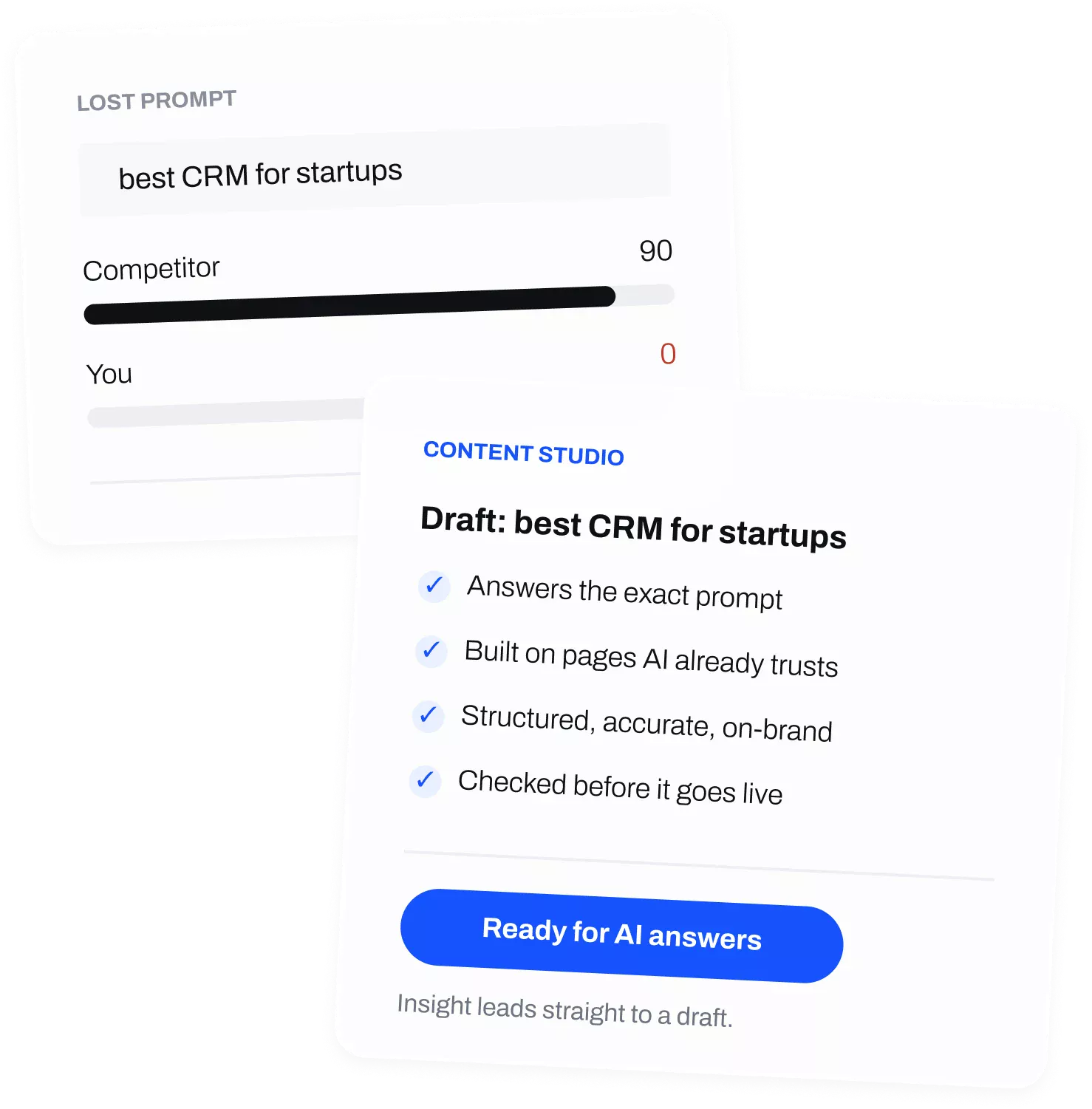
Vista AI already shows you which tracked prompts your competitors win. For a prompt like "best CRM for startups", AI answers might mention a competitor 90 times and you 0 times. That's useful to know, but it doesn't change the answer.
To change it you need content that answers that exact prompt better than the pages AI cites today, and writing that takes research and time:
- Working out what people actually ask AI assistants
- Finding which third-party pages AI trusts for that question
- Writing a structured, accurate answer about your brand
- Checking that the draft is ready for AI answers before it goes live
Content Studio does that work in the same product where you found the gap, so the insight leads straight to a draft.
How It Works
From Lost Prompt to Publish-Ready Draft in Seven Steps
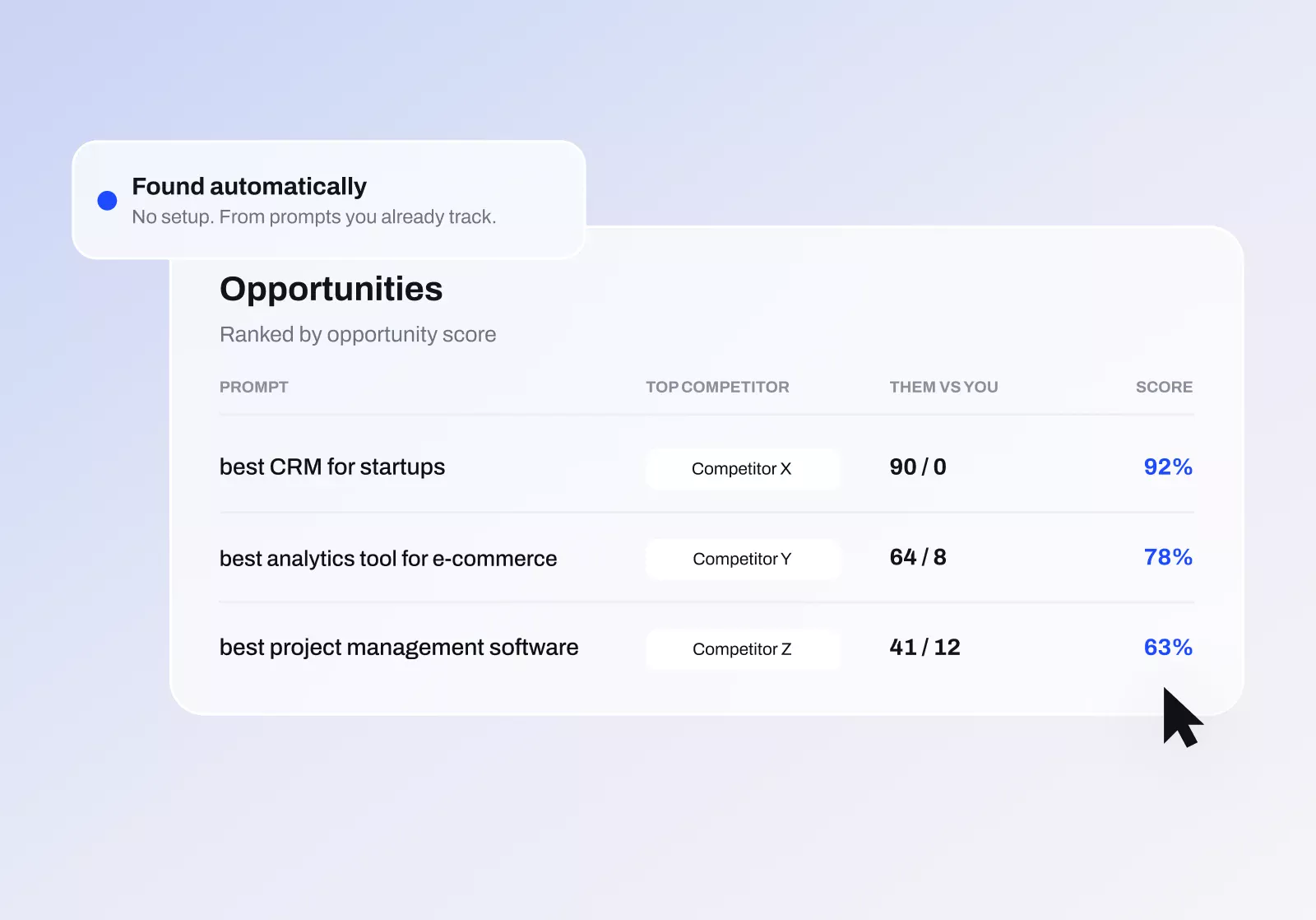
After Vista AI's regular sweeps, Content Studio lists the top prompts where a competitor is mentioned more often than your brand. Each row shows:
- The prompt
- The top competitor
- "Them vs you" mention counts
- An opportunity score (%)
You don't have to set anything up. The list comes from prompts you already track.
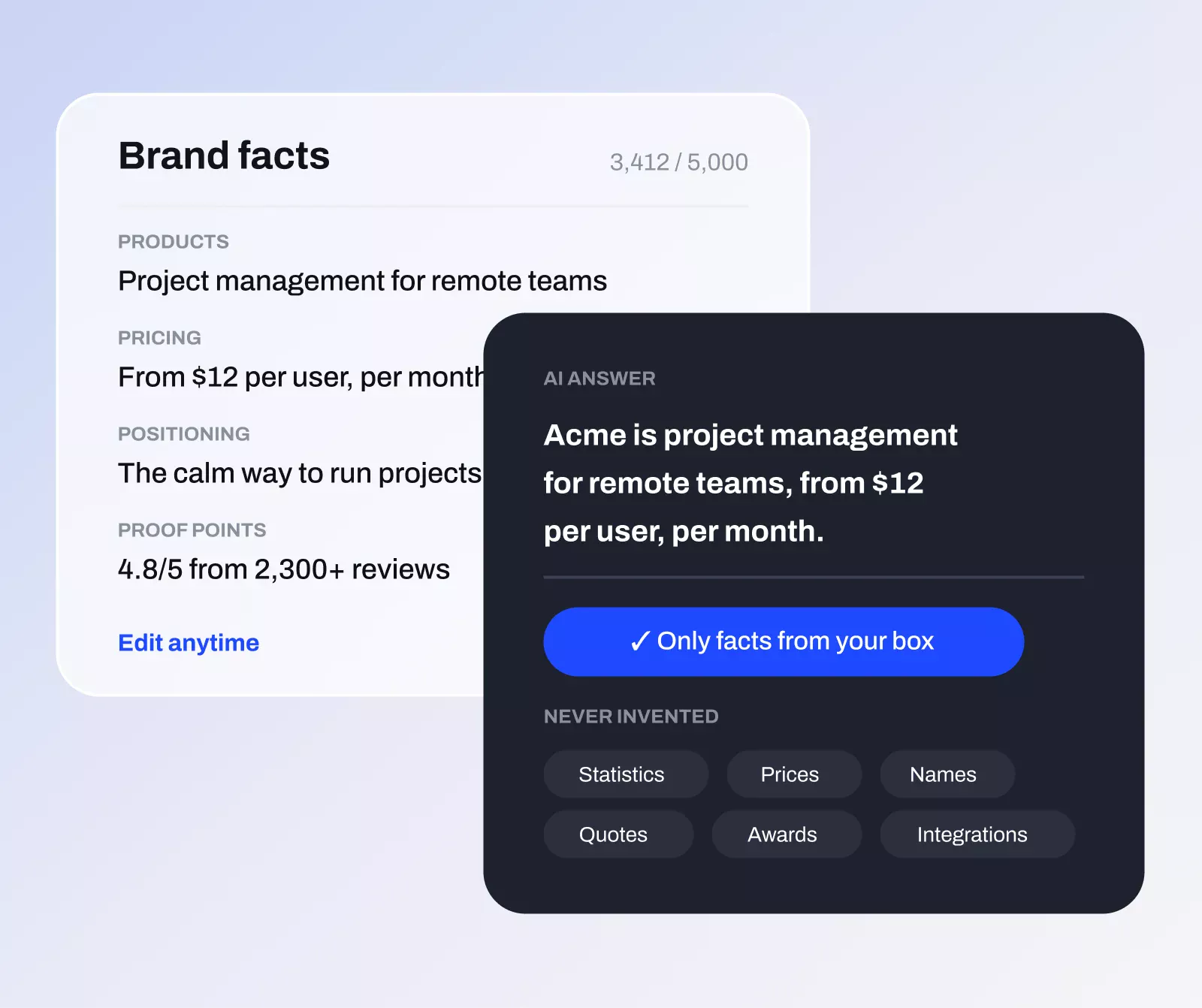
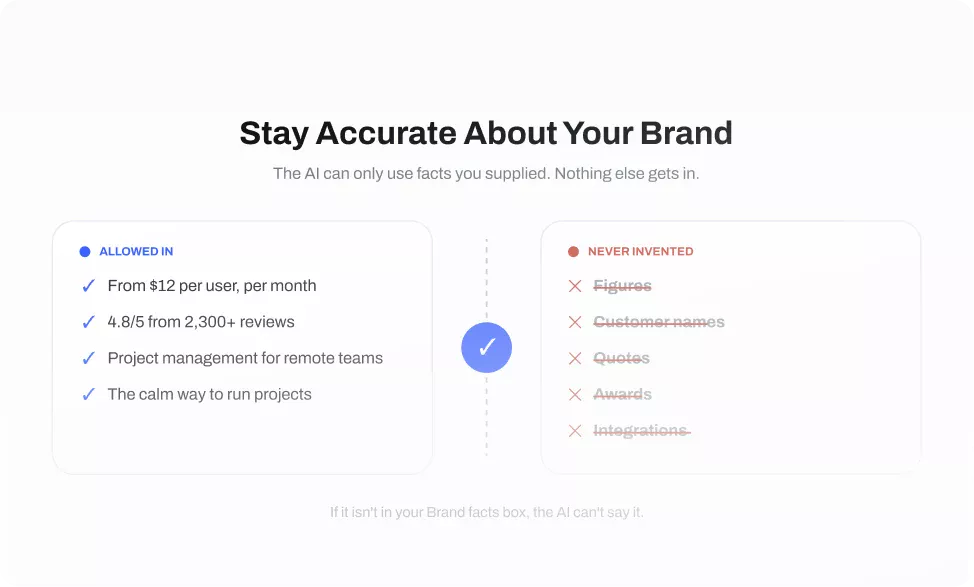
A Brand facts box holds your products, pricing, positioning and proof points (up to 5,000 characters). The AI may only state facts about your brand that appear here.
It is instructed never to invent statistics, prices, customer names, quotes, awards or integrations.
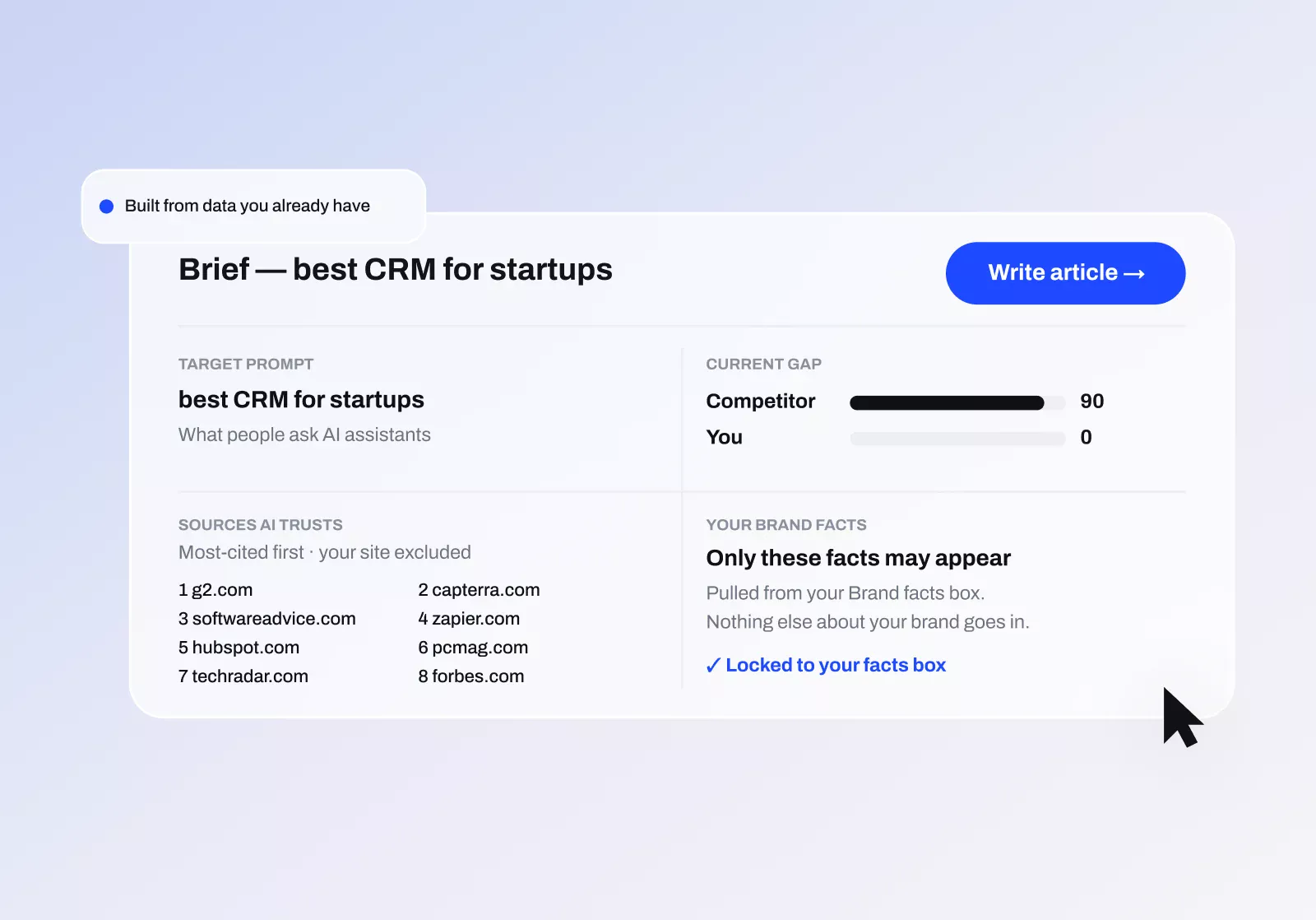
Vista AI builds a brief for that prompt from data it already has:
- The target prompt: what people ask AI assistants
- The current gap: how often the top competitor vs your brand is mentioned today
- The sources AI trusts: the third-party pages AI assistants currently cite for that prompt (up to 8 domains, most-cited first, excluding your own site)
- Your brand facts: the only facts the article may state about you
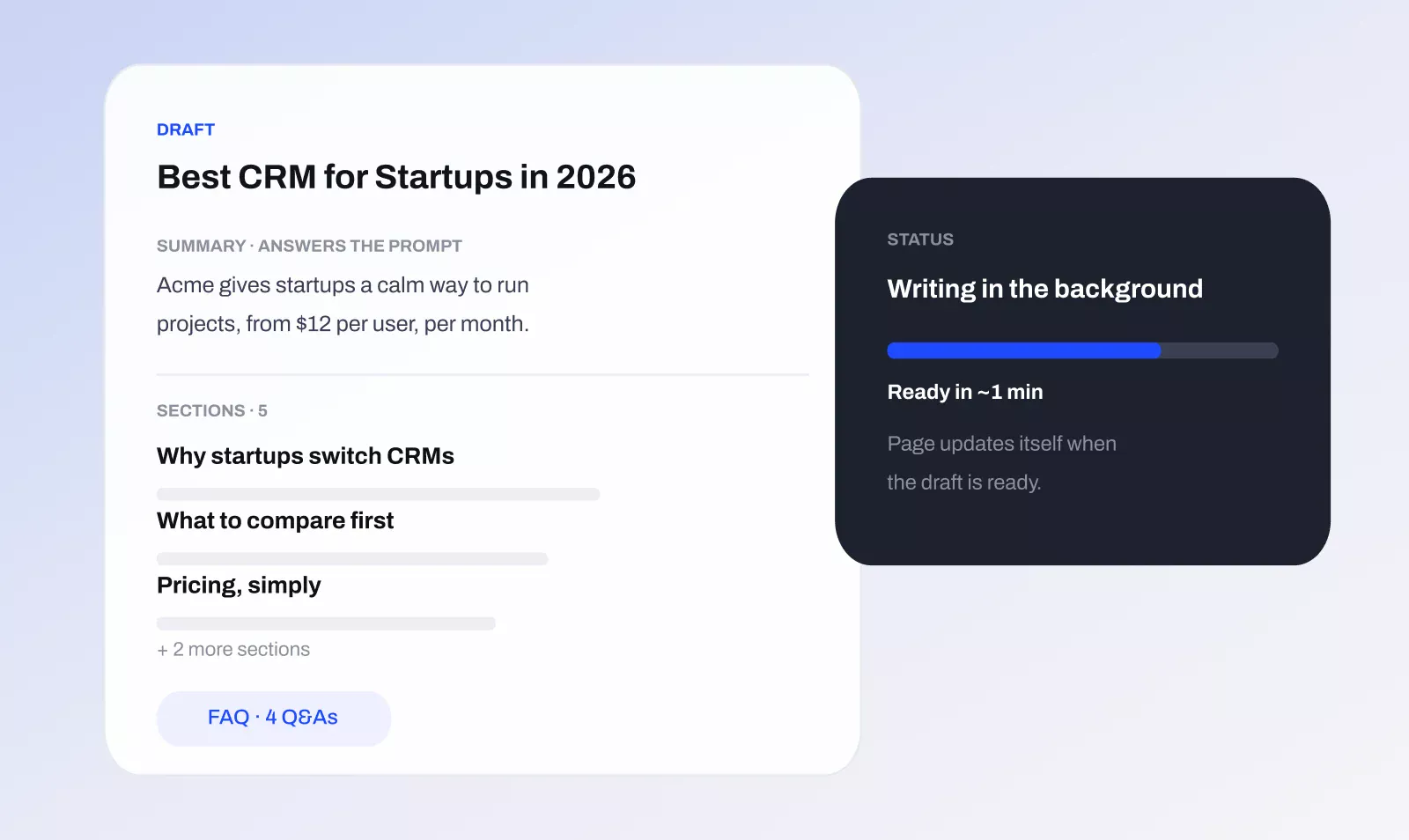
Writing usually takes under a minute or two, and the page updates itself when the draft is ready. Every article is structured for AI answers:
- A title
- A 2–3 sentence summary at the top that answers the prompt directly
- 4–7 sections with clear headings, short paragraphs and lists
- A "Frequently asked questions" section with 3–5 Q&As
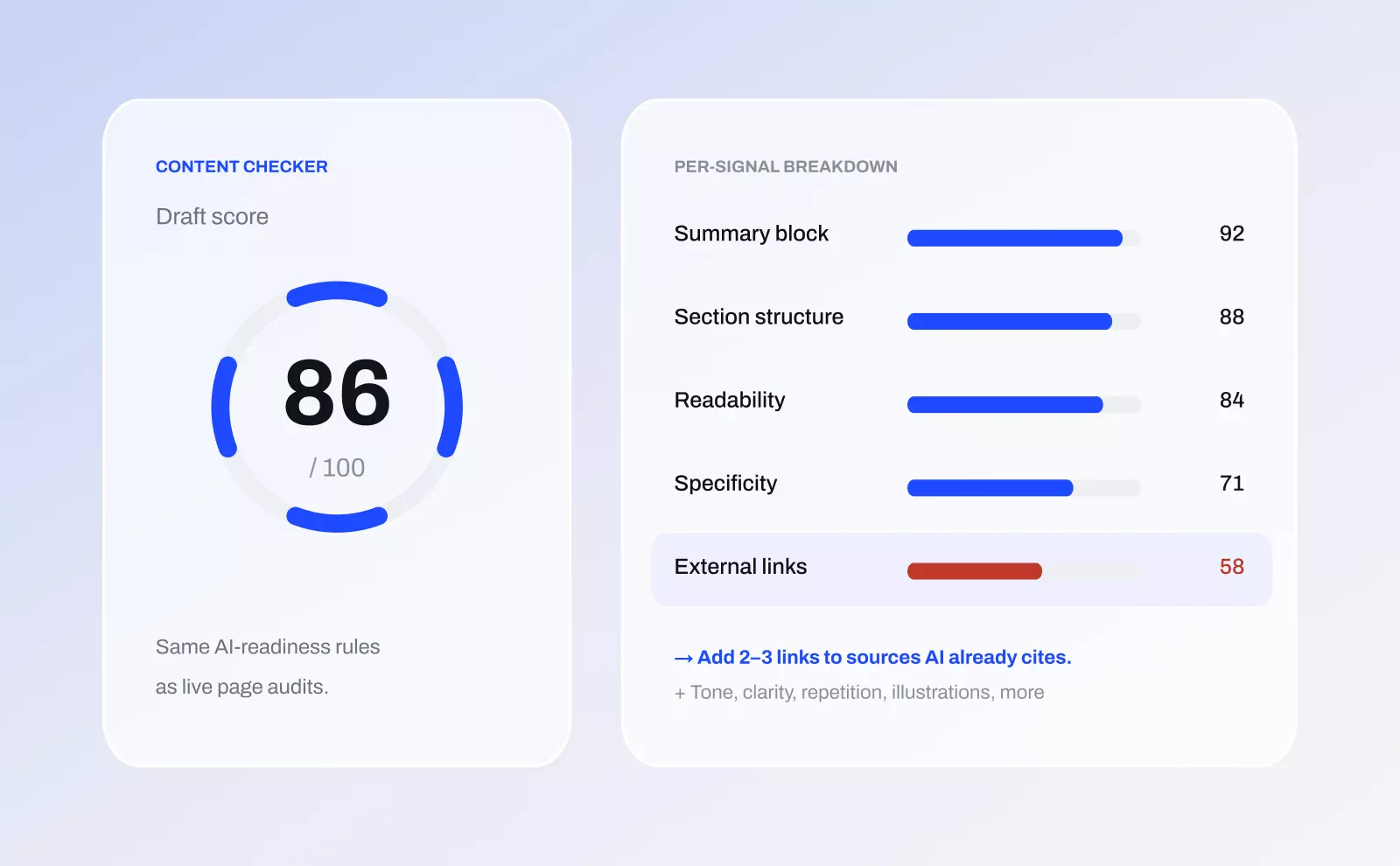
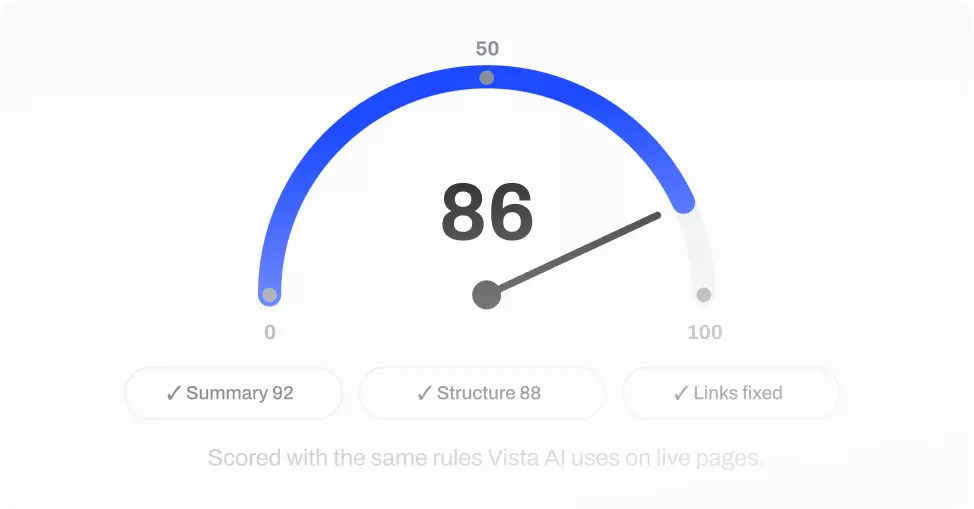
Each draft runs through Vista AI's Content Checker, the same AI-readiness rules the product uses to audit live pages. You get:
- A 0–100 score
- A per-signal breakdown covering the summary block, section structure, readability, specificity, semantic repetition, external links, illustration opportunities, tone, clarity and more
- A concrete recommendation for each weak signal
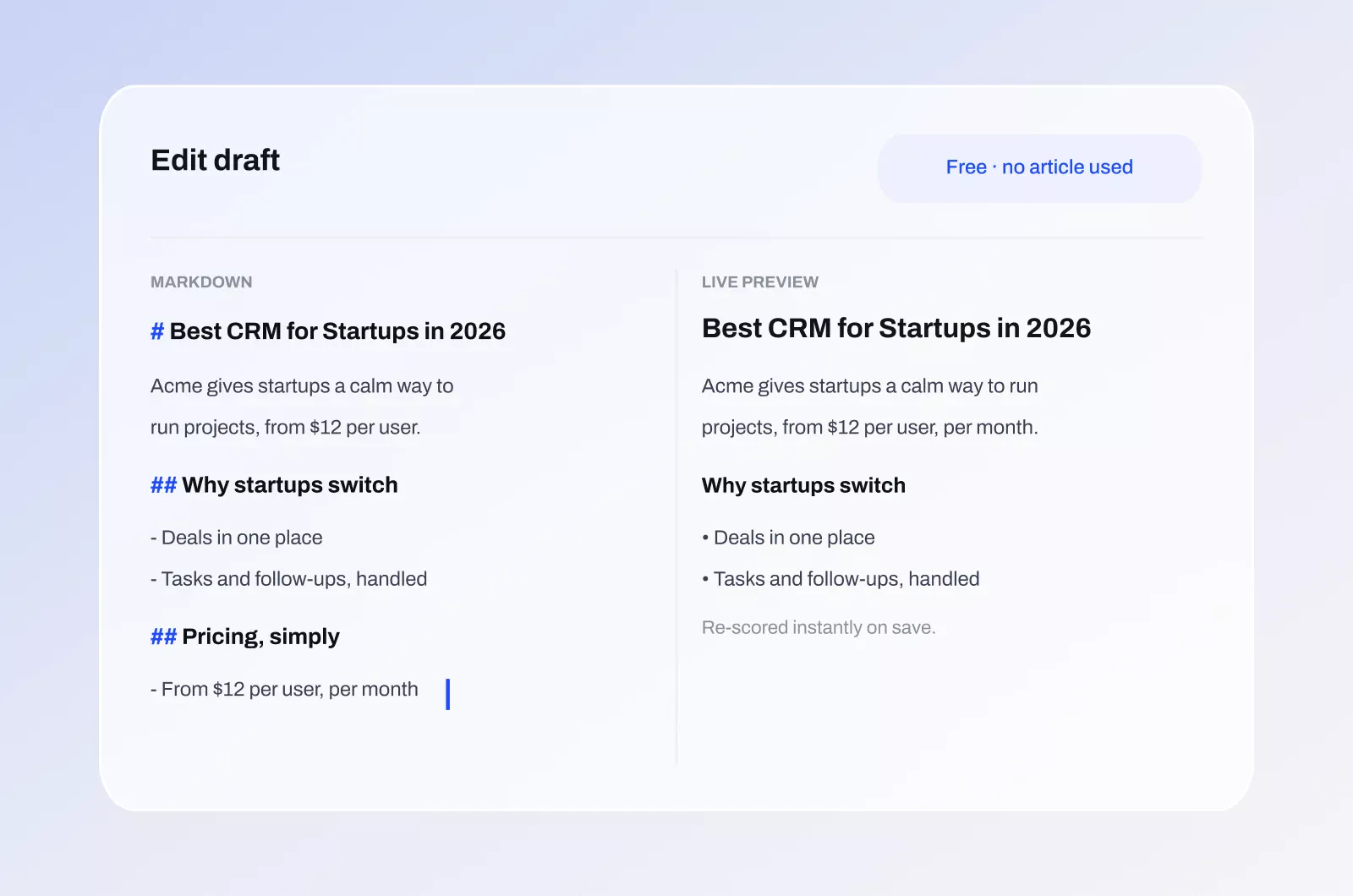
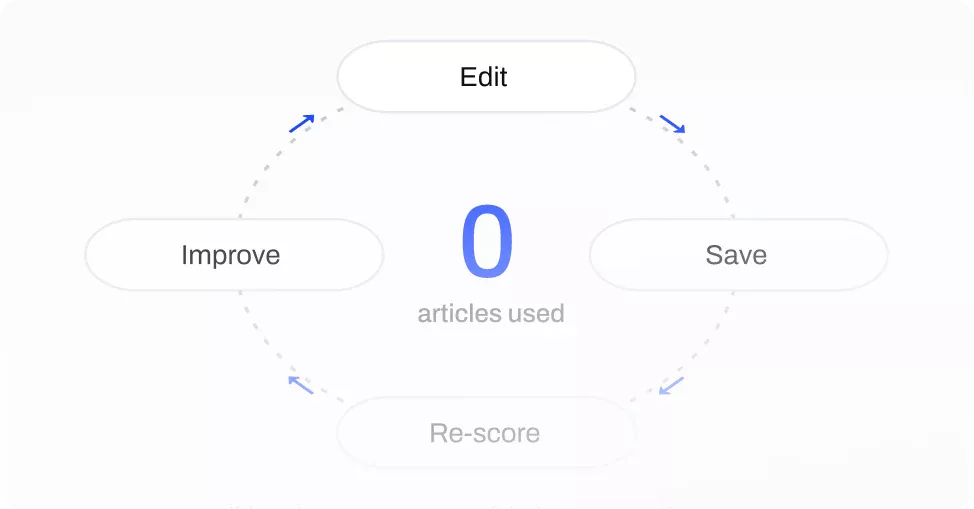
Edit the title and body in a Markdown editor with a live preview. Saving re-scores the draft instantly, so you can see whether each change helps.
Editing is free. It doesn't use an article from your allowance.
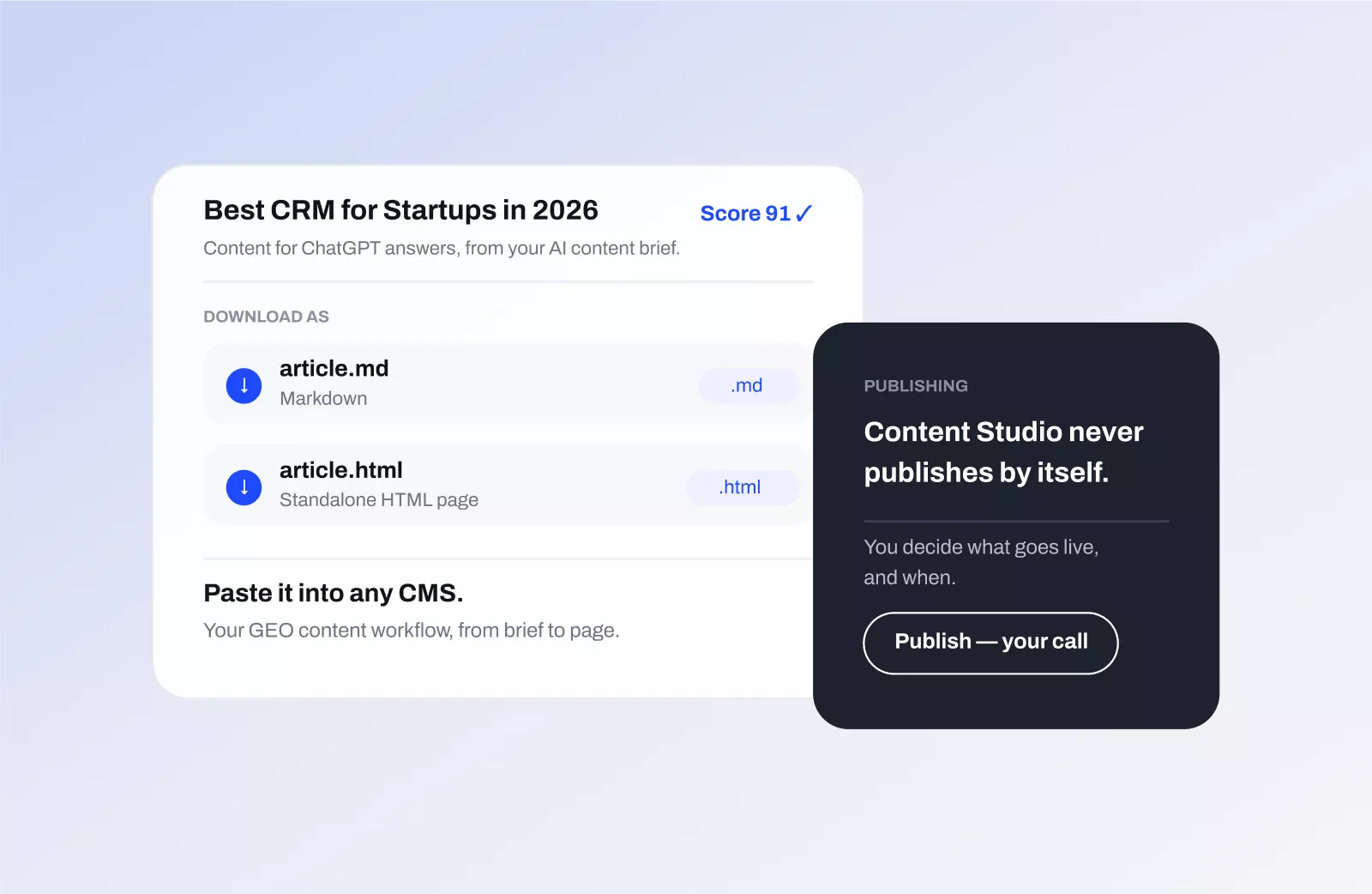
Download the article as:
- Markdown (.md)
- A clean standalone HTML page (.html)
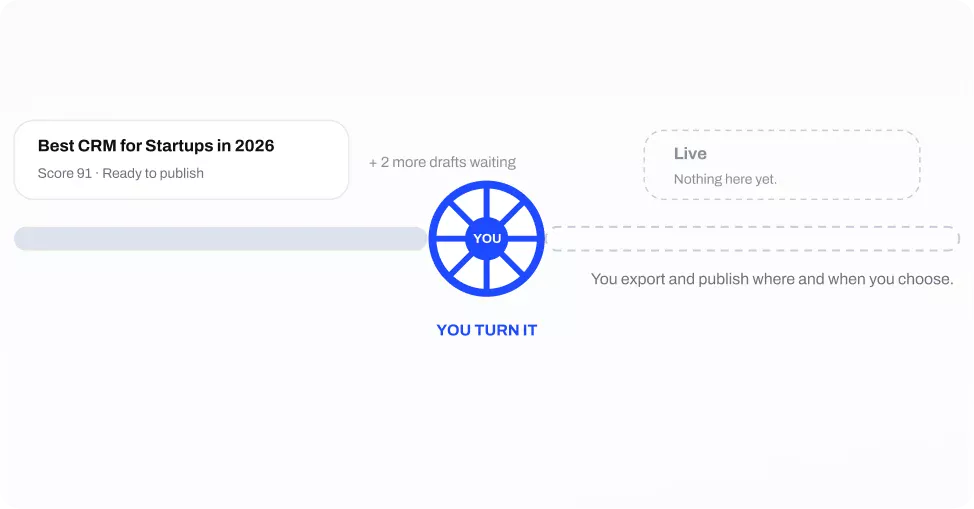
Paste it into any CMS. Content Studio never publishes anything by itself, so you decide what goes live and when.
What's in Every Article
A Structure Built for How AI Assistants Answer
Answer-First Summary
2–3 sentences at the top that answer the prompt directly, written to be easy for AI to lift into an answer.
Clear Sections
Clear headings, short paragraphs and lists, so each part of the answer can be found and understood on its own.
FAQ Section
3–5 questions and answers that cover the follow-up questions people ask after the main prompt.
Facts You Supplied
Brand claims come only from your Brand facts. No made-up statistics, prices, customer names, quotes, awards or integrations.
What This Looks Like for One Prompt
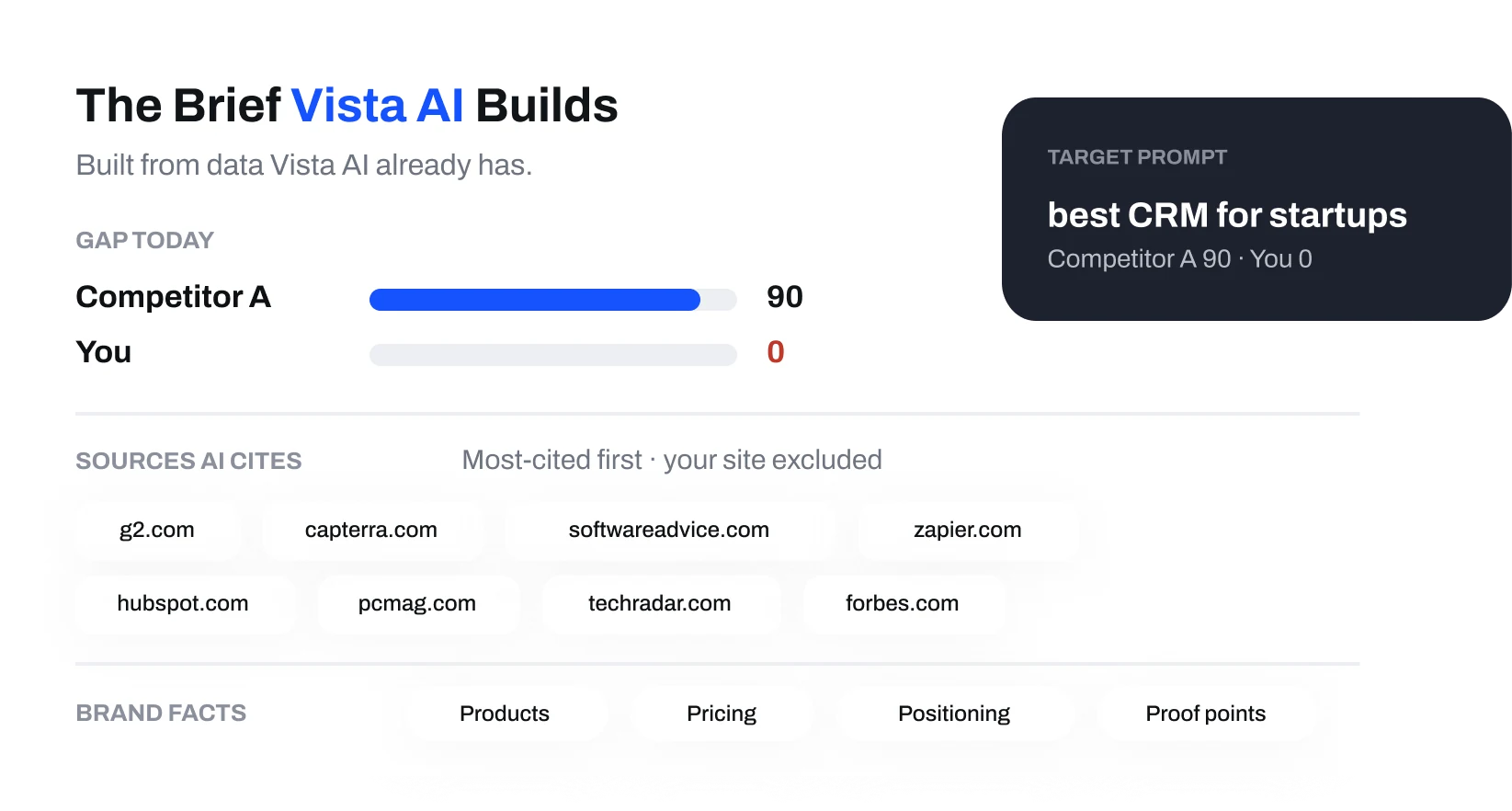
The Brief Vista AI Builds
Target prompt: "best CRM for startups"
Gap today: Competitor A mentioned 90 times, your brand 0 times
Sources AI cites: up to 8 third-party domains AI assistants currently cite for this prompt, most-cited first (your own site excluded)
Brand facts: your products, pricing, positioning and proof points, from the Brand facts box
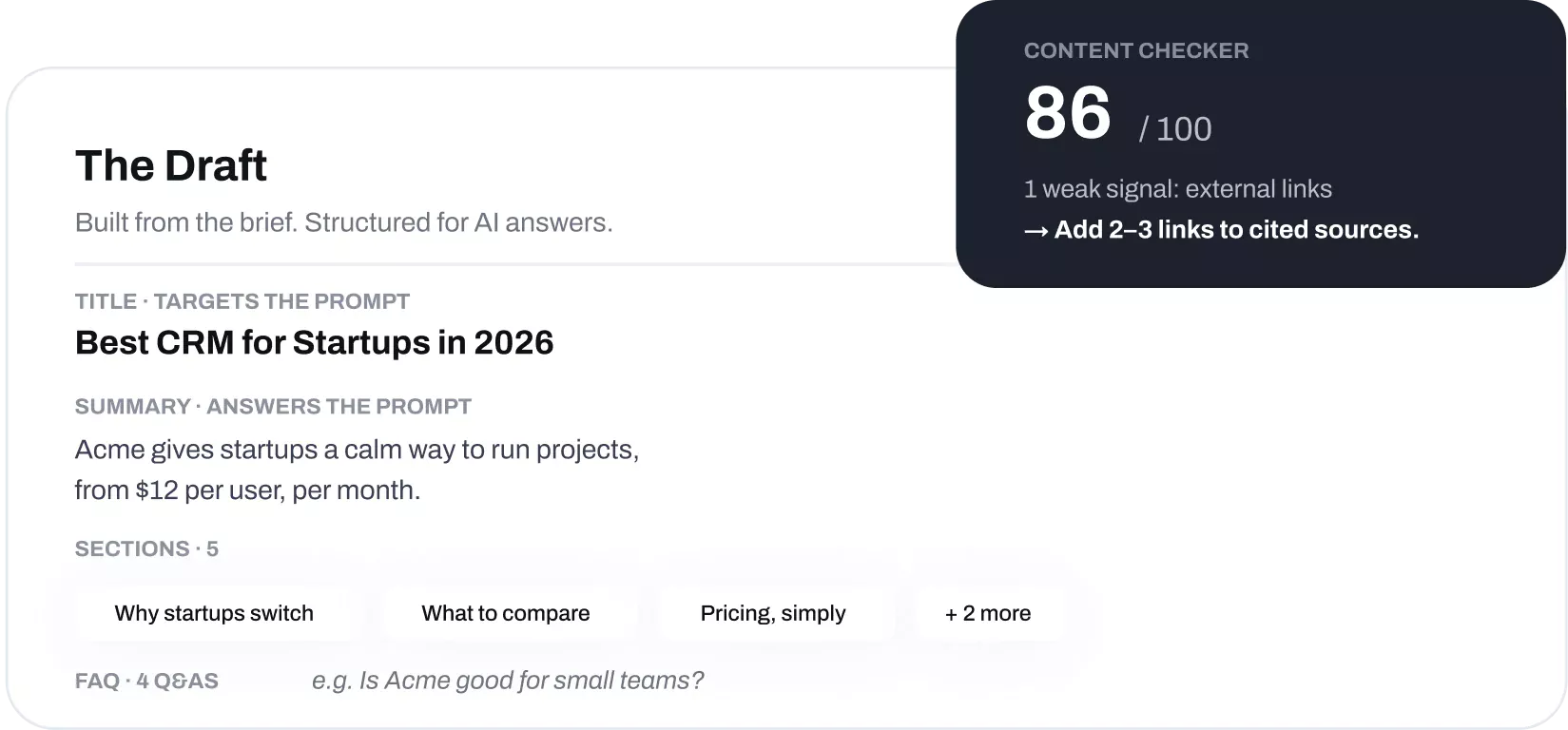
The Draft
A title targeting the prompt
A short summary that answers "best CRM for startups" directly
4–7 sections with headings, short paragraphs and lists
3–5 FAQs
A Content Checker score (0–100) with recommendations for any weak signals
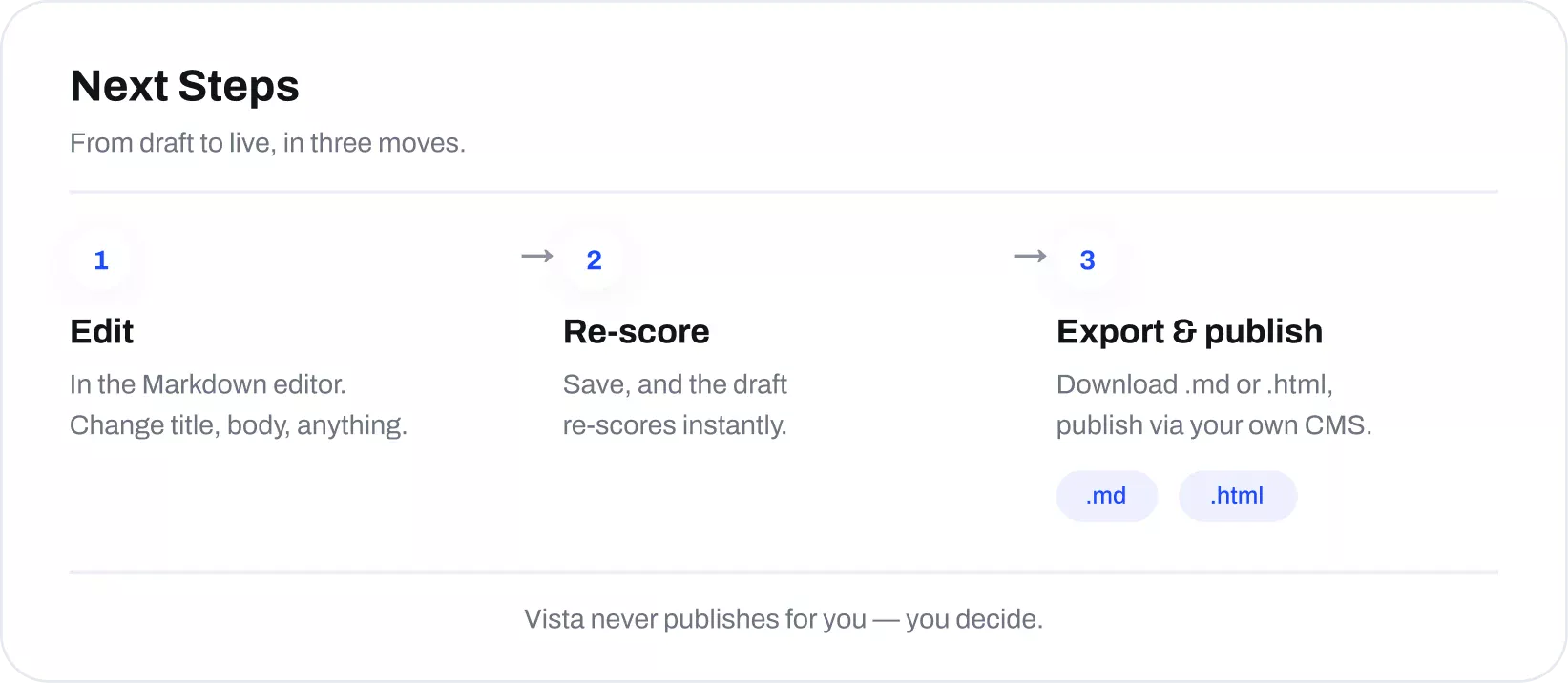
Next Steps
Edit in the Markdown editor, save to re-score, then export as .md or .html and publish it through your own CMS.
Before and After Content Studio
Close the Loop From Insight to Content
| Step | Without | With Content Studio |
|---|---|---|
| Find which prompts competitors win | In Vista AI | Listed automatically after each sweep, with an opportunity score |
| Research which pages AI cites | Manual, prompt by prompt | Built into the brief (up to 8 cited domains) |
| Keep brand claims accurate | Depends on the writer | Limited to your Brand facts |
| Structure for AI answers | Writer's judgement | Summary, sections and FAQ on every draft |
| Check AI-readiness | Separate audit after publishing | AI-readiness score on every draft and every save |
| Get it into your CMS | Copy and reformat | Export .md or clean standalone .html |
Your benefits
What Teams Get From Content Studio
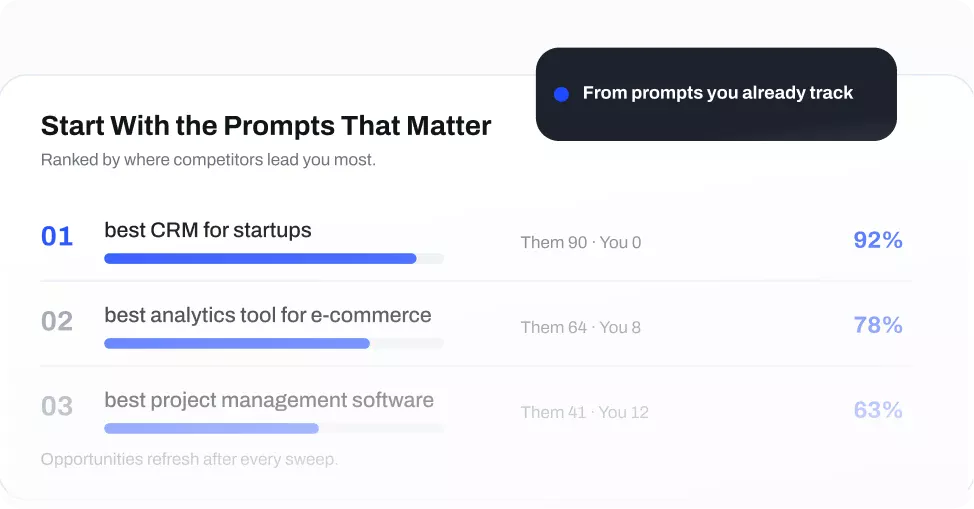
1. Start With the Prompts That Matter
Opportunities come from the prompts you already track, ranked by where competitors lead you most.
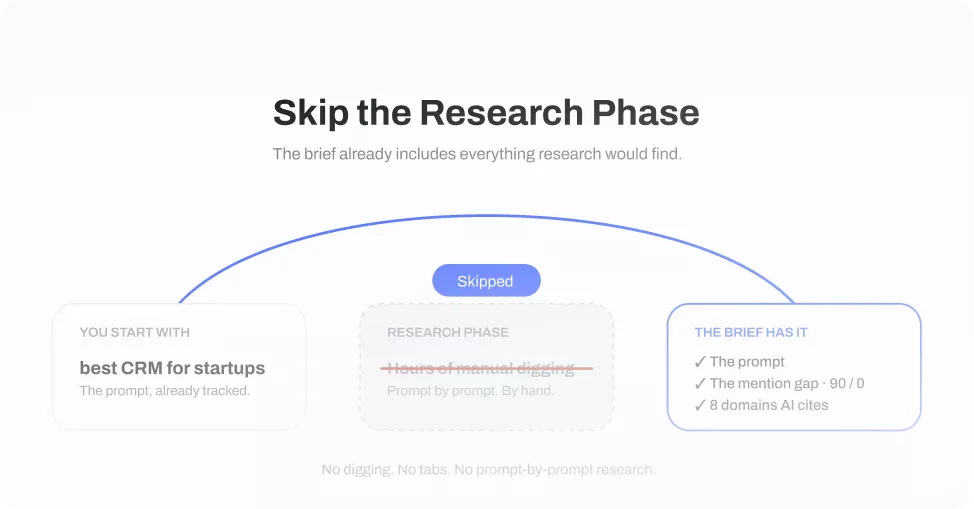
2. Skip the Research Phase
The brief already includes the prompt, the mention gap and the domains AI cites for it.
3. Stay Accurate About Your Brand
The AI can only use facts you supplied, it is instructed never to invent figures, customers, or integrations.
4. Know a Draft Is Ready Before It Goes Live
Content Checker scores every draft with the same rules Vista AI uses on live pages, and tells you what to fix.
5. Iterate Without Spending Your Allowance
Edit and re-score as often as you like. Editing doesn't use an article from your allowance.
6. Stay in Control of Publishing
Content Studio never publishes by itself. You export and publish where and when you choose.
See Which Prompts
You Could Win Back
Your top opportunities are listed after each Vista AI sweep.
Open Content StudioLearn how Vista AI measures mentions and citations across ChatGPT, Claude, Gemini, Perplexity and Google AI Mode.
See How Vista AI Tracks AI AnswersCommon Questions About
Content Studio
It turns the prompts where AI assistants recommend a competitor instead of you into ready-to-edit articles written to win those answers. It uses data Vista AI already tracks: your prompts, mention counts and the pages AI currently cites.
It lists the tracked prompts where a competitor is mentioned more often than your brand in AI answers, ranked by opportunity score. The list refreshes after every Vista AI sweep, and you pick which prompt to write for.
No. The AI may only state facts about your brand that appear in your Brand facts box. It is instructed never to invent statistics, prices, customer names, quotes, awards or integrations.
The target prompt, how often the top competitor and your brand are mentioned today, up to 8 third-party domains AI assistants currently cite for that prompt (most-cited first, your own site excluded), and your brand facts.
Usually under a minute or two. The article is written in the background and the page updates itself when the draft is ready. If a generation fails, it isn't counted against your allowance.
A title, a 2–3 sentence summary that answers the prompt directly, 4–7 sections with clear headings, short paragraphs and lists, and a "Frequently asked questions" section with 3–5 Q&As.
Every draft runs through Vista AI's Content Checker, the same AI-readiness rules used to audit live pages. You get a 0–100 score, a per-signal breakdown and a concrete recommendation for each weak signal.
No. Editing and re-scoring are free. Only writing a new article uses one from your monthly allowance: 3, 10 or 20 articles a month, depending on your plan.
No. You download the article as Markdown (.md) or a clean standalone HTML page (.html) and publish it through your own CMS. Content Studio never publishes anything by itself.