You've published the guides, cleaned up your schema, and earned a few mentions in industry roundups. Now you want to know: is any of it showing up in AI answers?
There's no "Search Console for ChatGPT" that lists every time your site was cited. You can still get a reliable answer with free methods if you're systematic about it. This guide covers six of them, from a five-minute spot check to a repeatable weekly process, and explains when manual checking stops being worth your time.
Before You Start: Mentions vs. Citations
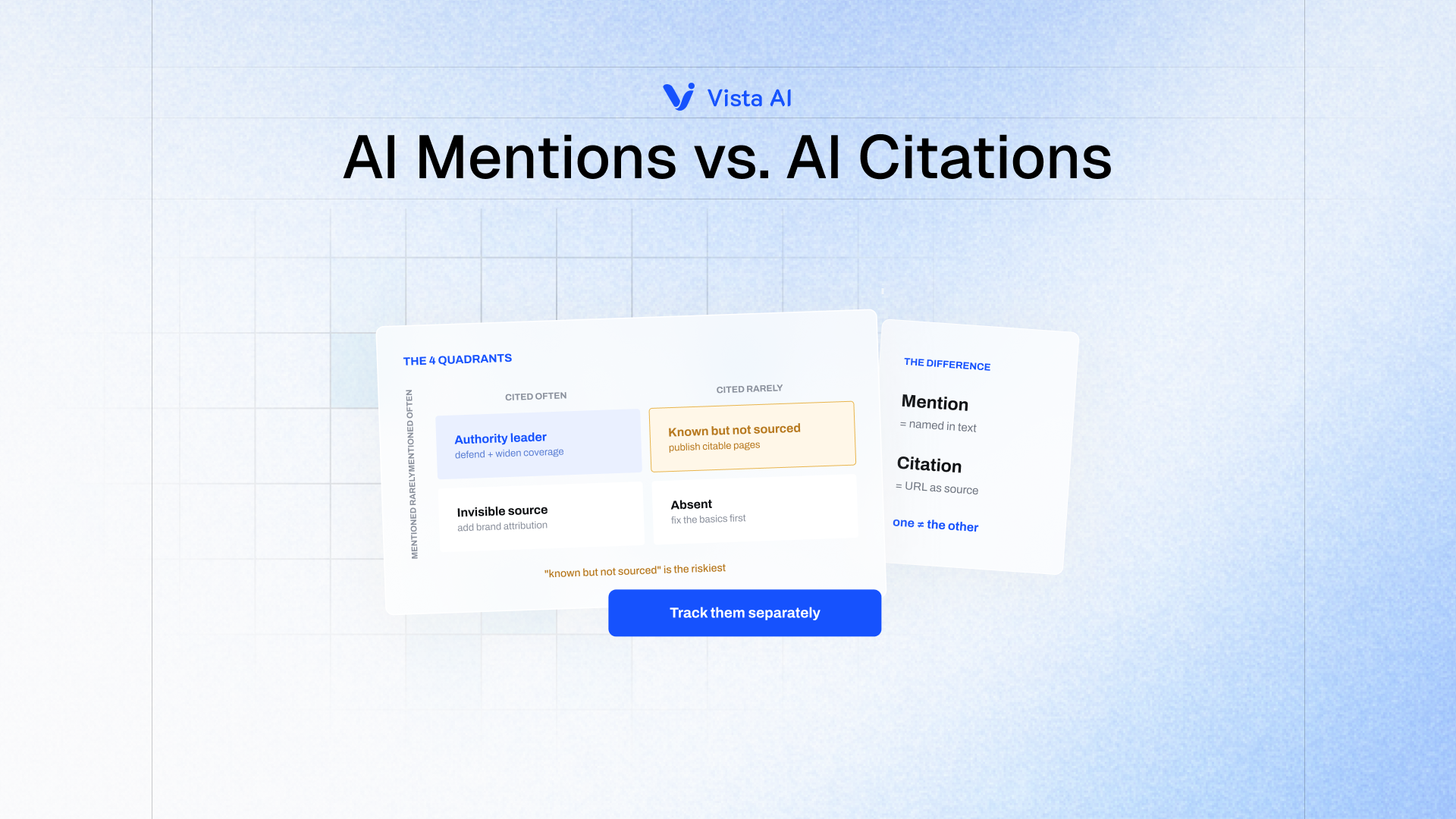
Two different things can happen in an AI answer:
- A mention: your brand name appears in the answer text.
- A citation: a URL on your site is linked as a source.
You need to check for both, because they often don't line up. (For the full breakdown, see our guide on AI mentions vs. AI citations.)
Method 1: Ask the Questions Your Buyers Ask
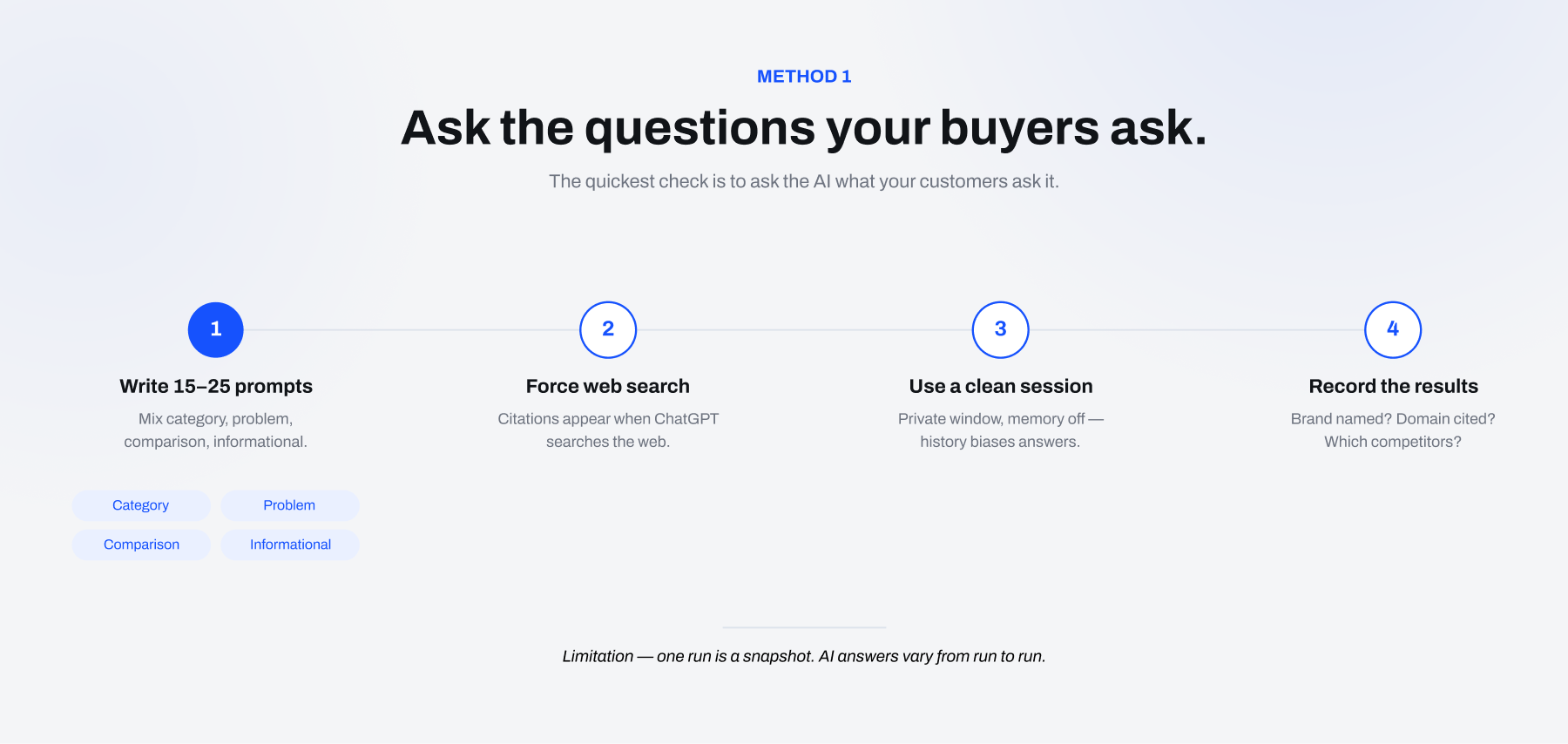
The quickest check is to ask the AI what your customers ask it.
Step 1: Write 15–25 prompts. Mix these types:
- Category: "What's the best [category] for [use case]?"
- Problem: "How do I [problem your product solves]?"
- Comparison: "[Your brand] vs [competitor]"
- Informational: questions your blog posts answer
Step 2: Make sure the AI is searching the web. In ChatGPT, citations appear when it uses search. If an answer has no sources, use the search option or add "search the web" to the prompt. Perplexity searches by default.
Step 3: Use a clean session. Log out or use a private window, and turn off ChatGPT memory and custom instructions. Your browsing history and saved preferences can make answers lean toward brands you've shown interest in, including your own.
Step 4: Record the results. For each prompt, note:
- Was your brand named? Where in the answer?
- Was your domain cited? Which URL?
- Which competitors were named, and which domains were cited?
Limitation: One run of each prompt is a snapshot. AI answers vary from run to run, so a single "yes" or "no" doesn't tell you much. Methods 5 and 6 address this.
Method 2: Ask the AI Directly About Your Content
Ask questions aimed at your own pages:
- "What does [your brand] say about [topic]?"
- "Summarize [your brand]'s guide to [topic]. Include sources."
- "Which websites have the best resources on [topic]? List your sources."
If the model can find and summarize your content when you point it there, your pages are crawlable and retrievable. If it can't find them even when asked by name, you likely have an access problem. Check Method 4.
Note: This tells you whether you can be cited, not whether you are being cited for real buyer prompts. Treat it as a diagnostic, not a visibility metric.
Method 3: Check Your Analytics for AI Referral Traffic
When a user clicks a citation, the visit often arrives with a recognizable referrer. In GA4:
- Go to Reports → Acquisition → Traffic acquisition.
- Set the dimension to Session source / medium.
- Filter for sources containing: chatgpt.com, perplexity.ai, gemini.google.com, copilot.microsoft.com, claude.ai.
To make this permanent, create a custom channel group called "AI Assistants" with a regex rule on the source, for example:
.*(chatgpt|openai|perplexity|gemini\.google|copilot\.microsoft|claude\.ai).*
Then check which landing pages receive this traffic. Those are your most-cited pages.
Limitations:
- Not every click passes a referrer. Some app traffic shows up as "direct."
- Google AI Overviews and AI Mode clicks show up as normal Google organic traffic, not as a separate AI source.
- It counts clicks, not citations. Many citations are never clicked.
ChatGPT often adds utm_source=chatgpt.com to outbound links, so you can also filter by UTM source.
Method 4: Check Your Server Logs for AI Crawlers
Before an answer engine can cite a page, its crawler has to be able to reach it. Your server logs show whether that's happening. Look for these user agents:
| User agent | Operator | Purpose |
|---|---|---|
| OAI-SearchBot | OpenAI | Indexing for ChatGPT search results |
| ChatGPT-User | OpenAI | Fetching pages live when a user's request triggers it |
| GPTBot | OpenAI | Collecting training data |
| PerplexityBot | Perplexity | Indexing for Perplexity answers |
| Perplexity-User | Perplexity | Fetching pages live for a user's query |
| ClaudeBot / Claude-User / Claude-SearchBot | Anthropic | Training / live fetching / search |
| Google-Extended | A robots.txt token for Gemini training (it doesn't affect AI Overviews) |
What to look for:
- Live-fetch bots (ChatGPT-User, Perplexity-User) hitting specific URLs are a strong sign those pages are being pulled into answers in real time.
- No search-bot activity at all usually means robots.txt, a firewall, or a CDN bot-protection rule is blocking them. Check your robots.txt and your Cloudflare (or similar) bot settings. Many sites block AI crawlers by default without knowing it.
Method 5: Build a Free Weekly Tracking Sheet
To turn spot checks into a trend, set up a simple spreadsheet:
| Date | AI Platform | Prompt | Brand Mentioned? | Position | Website Cited? | Competitors Mentioned | Sources Cited |
|---|---|---|---|---|---|---|---|
| Oct 27 | ChatGPT | Best CRM for small agencies? | Yes | 3rd of 5 | No | Competitor A, Competitor B | g2.com, reddit.com |
| Oct 27 | Perplexity | Best CRM for small agencies? | Yes | 1st of 4 | Yes (/pricing) | Competitor A | yourbrand.com, capterra.com |
| Oct 27 | Google AI Overviews | How do I track client follow-ups? | No | — | No | Competitor B, Competitor C | hubspot.com, zapier.com |
The process:
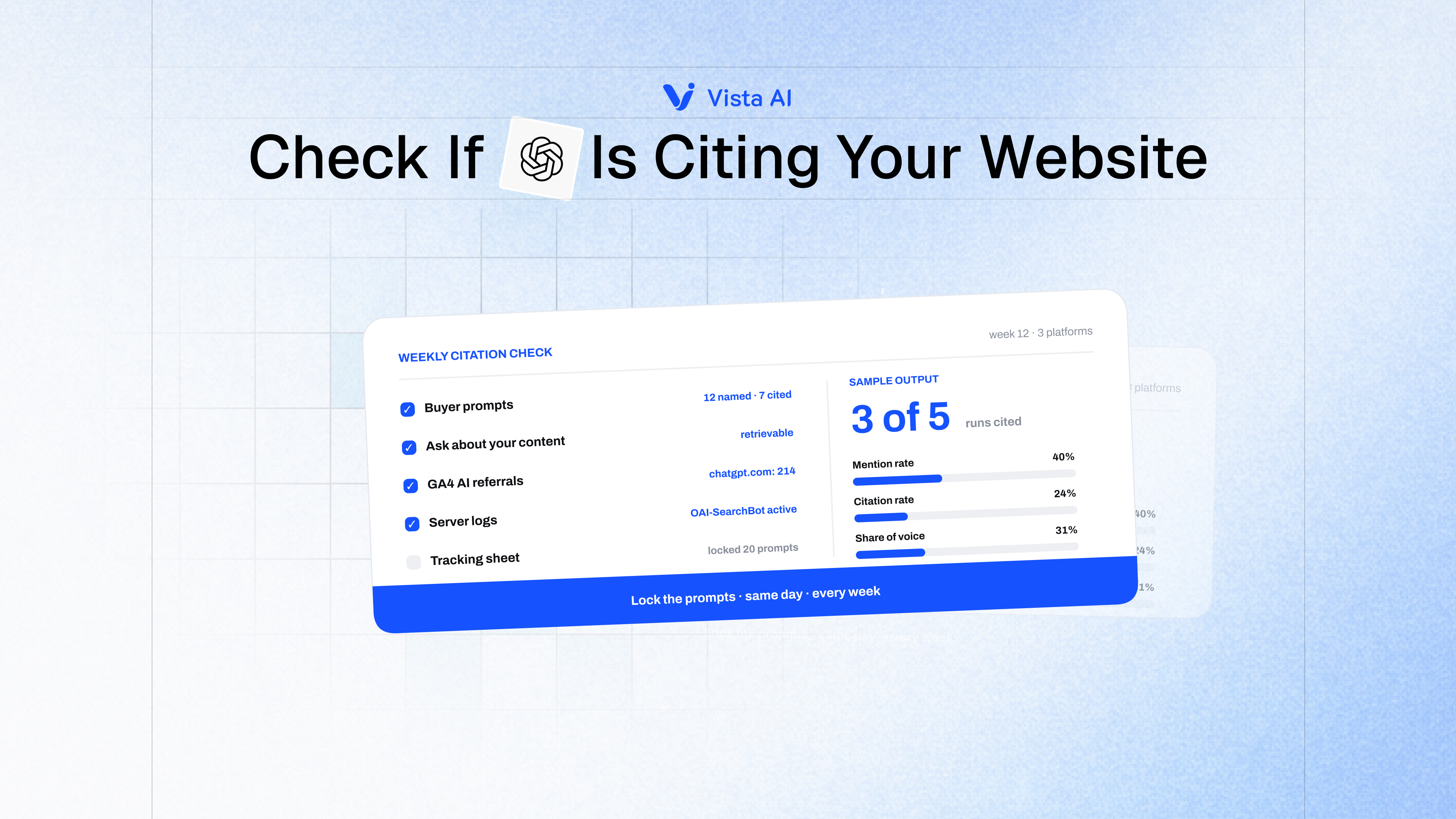
- Lock a set of 20 prompts and don't change them. Changing prompts breaks the trend.
- Run each prompt on 2–3 platforms (for example ChatGPT, Perplexity, and Google AI Overviews).
- Do it on the same day each week.
- After 4–6 weeks, calculate:
- Mention rate = prompts where you're named ÷ total prompts
- Citation rate = prompts citing your domain ÷ total prompts
- Share of voice = your mentions ÷ all brand mentions across the set
That's 40–60 manual checks a week. It's slow, but it's free, and it gives you a real baseline. For what counts as a good mention rate or share of voice, see our breakdown of AI search visibility metrics.
Method 6: Run Each Prompt More Than Once
Because AI output varies, ask important prompts 3–5 times in fresh sessions and record how often you appear. "Cited in 3 of 5 runs" is a far more honest number than "cited: yes."
It also exposes unstable visibility: prompts where you appear sometimes but not reliably. These are often the cheapest wins. The model already sees you as a plausible answer, and stronger content or more third-party coverage can push you into consistent inclusion.
Checking Claude, Gemini, and Google AI Overviews
Claude: Citations appear when web search is turned on. Use the same prompts and note the linked sources.
Gemini: Use the sources or "double-check" options to see the pages behind an answer.
Google AI Overviews and AI Mode: Search your prompts in an incognito window. AI Overviews show source links beside or below the summary. Location and personalization matter, so note where you searched from. Search Console includes AI Overviews and AI Mode in its overall web performance data but doesn't break them out separately, so manual or automated SERP checks are still needed.
When Manual Checking Stops Working
Manual methods are fine for a first baseline. They break down when:
- Your prompt set grows past ~25 prompts. Platforms × prompts × repeat runs quickly turns into hundreds of checks a week.
- You need competitor data. Tracking five competitors by hand multiplies the work.
- You need history. Spreadsheets drift, prompts change, and someone skips a week.
- You report to leadership. Executives want trend lines and share-of-voice charts, not screenshots.
This is where an automated tracker earns its cost. Vista AI's Rank Tracker runs your prompt set across ChatGPT, Perplexity, Gemini, Claude, Copilot, and Google AI Overviews on a schedule. It records every mention and cited URL, and AI citation tracking shows exactly which of your pages each platform links to, with history so you see trends instead of snapshots.
Stop checking AI answers by hand. Vista AI tracks your mentions and citations across every major AI platform, automatically. Start for free